Working manual
Daily cash close
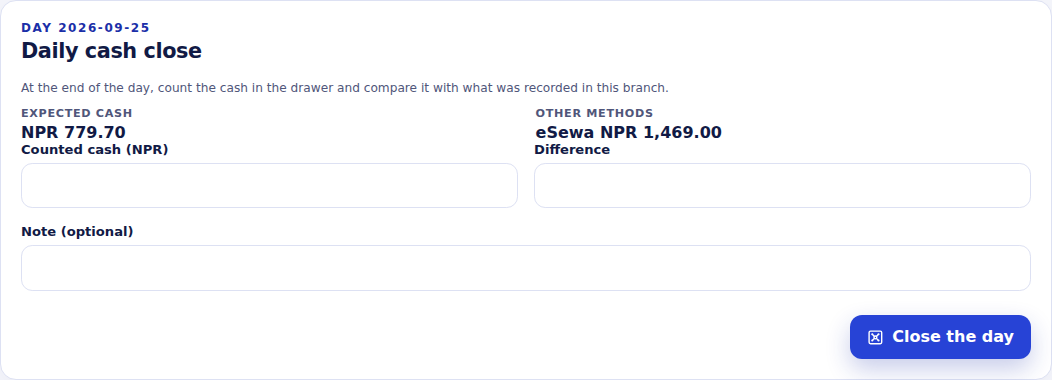
At the end of the day, count the drawer and record it against what Sapha expects for the branch.
You are reading the manual without signing in. It describes the screens staff use; opening them needs an account, and the access on that account decides which ones appear.
Closing the day
Close the day for a branch
- Who can do this
- Reception, finance staff, a manager or the owner.
- What it achieves
- A signed record of the counted cash, the expected cash and the difference, one per branch per day.
Before you start
- You are working in the branch you are closing (not All my branches).
Steps
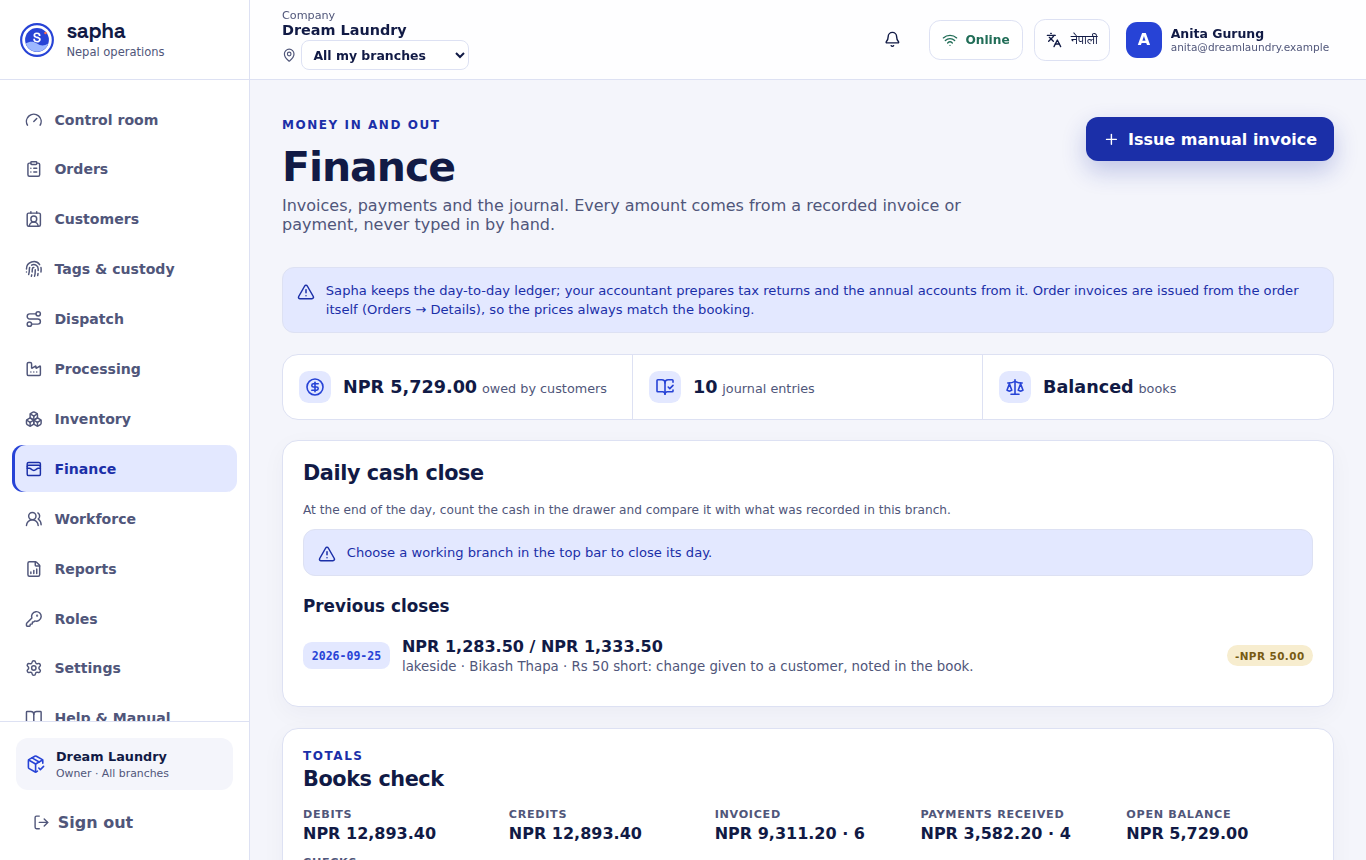
- RequiredOpen Finance and find Daily cash close.
- RequiredCheck the day. Sapha shows the cash it expects (all cash payments recorded in this branch that day) and the other methods separately.
- RequiredCount the cash in the drawer and enter it in Counted cash. The difference appears as you type.
- Only if it appliesIf there is a difference, write the reason in Note.
- RequiredChoose Close the day.
What should happen next
The close appears under Previous closes with the counted and expected cash and the difference, and who closed it.
If it does not work
- It asks you to choose a working branch: switch from All my branches to the branch in the top bar.
- It says the day is already closed: a day can be closed once per branch. Its record shows what was counted.
- A future day cannot be closed.